
Screens
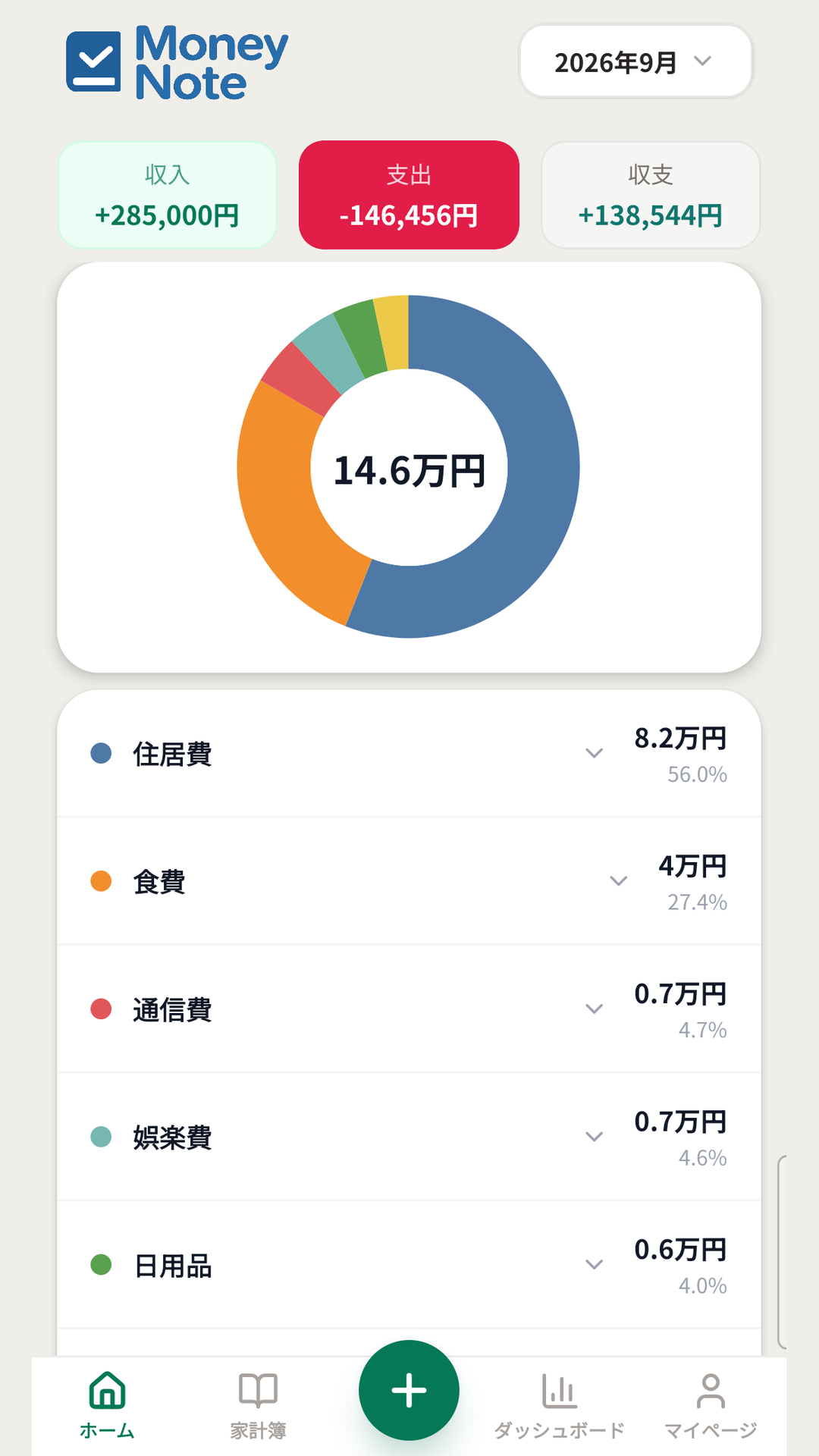
当月の収支とドーナツグラフ
Monthly balance and donut chart
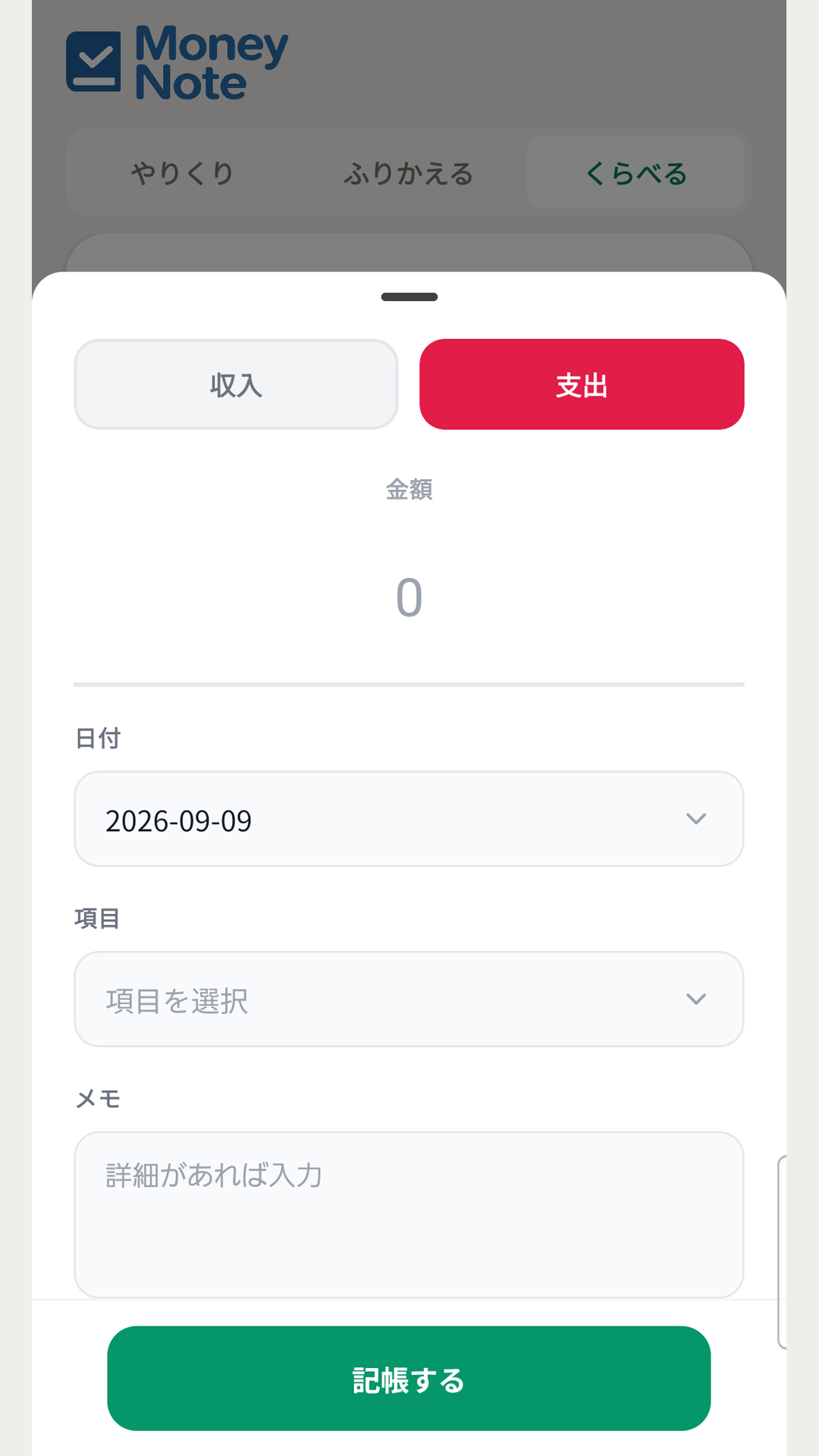
金額・日付・項目・メモ
Amount, date, category, memo
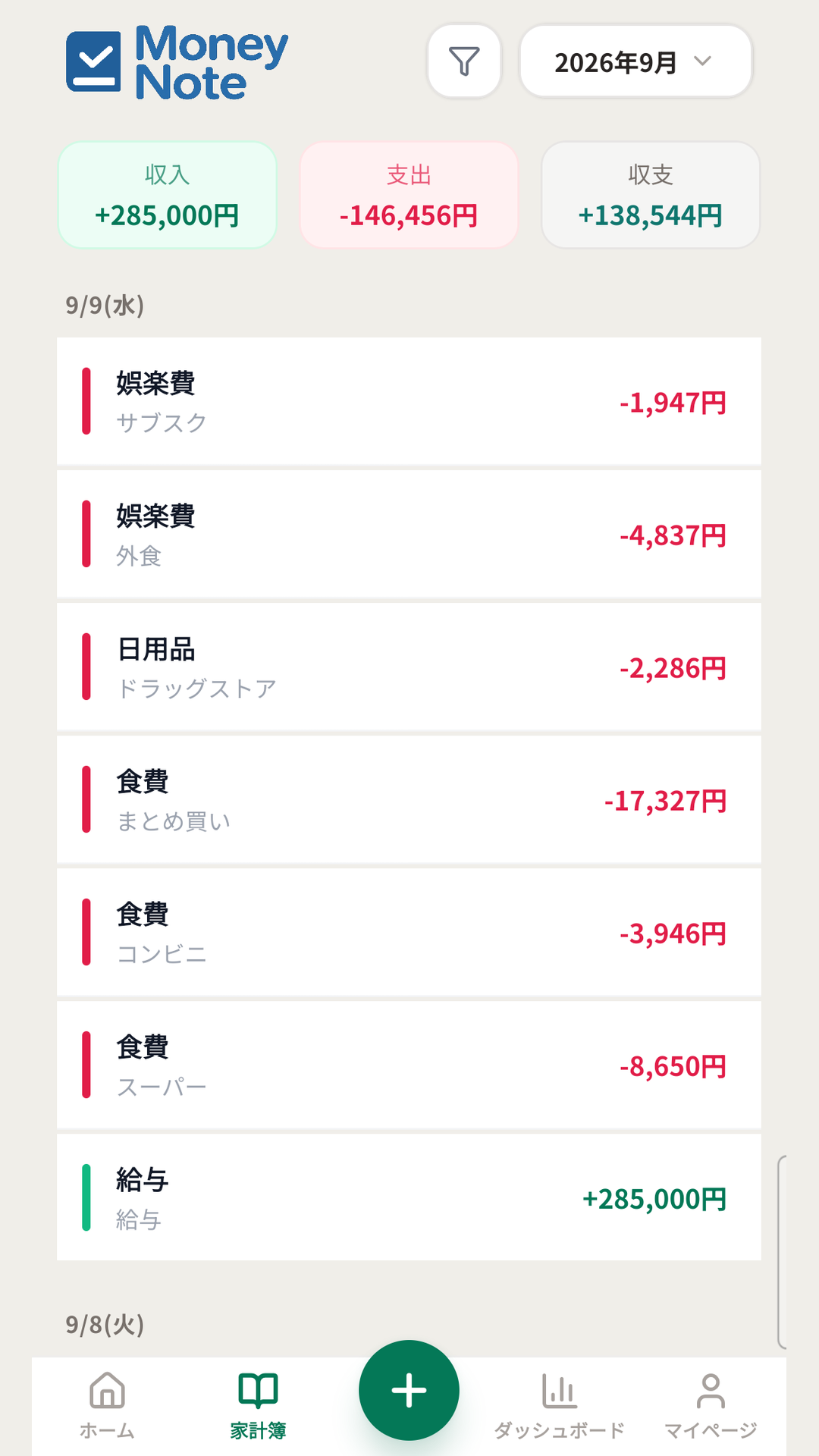
日付ごとの一覧
Records day by day
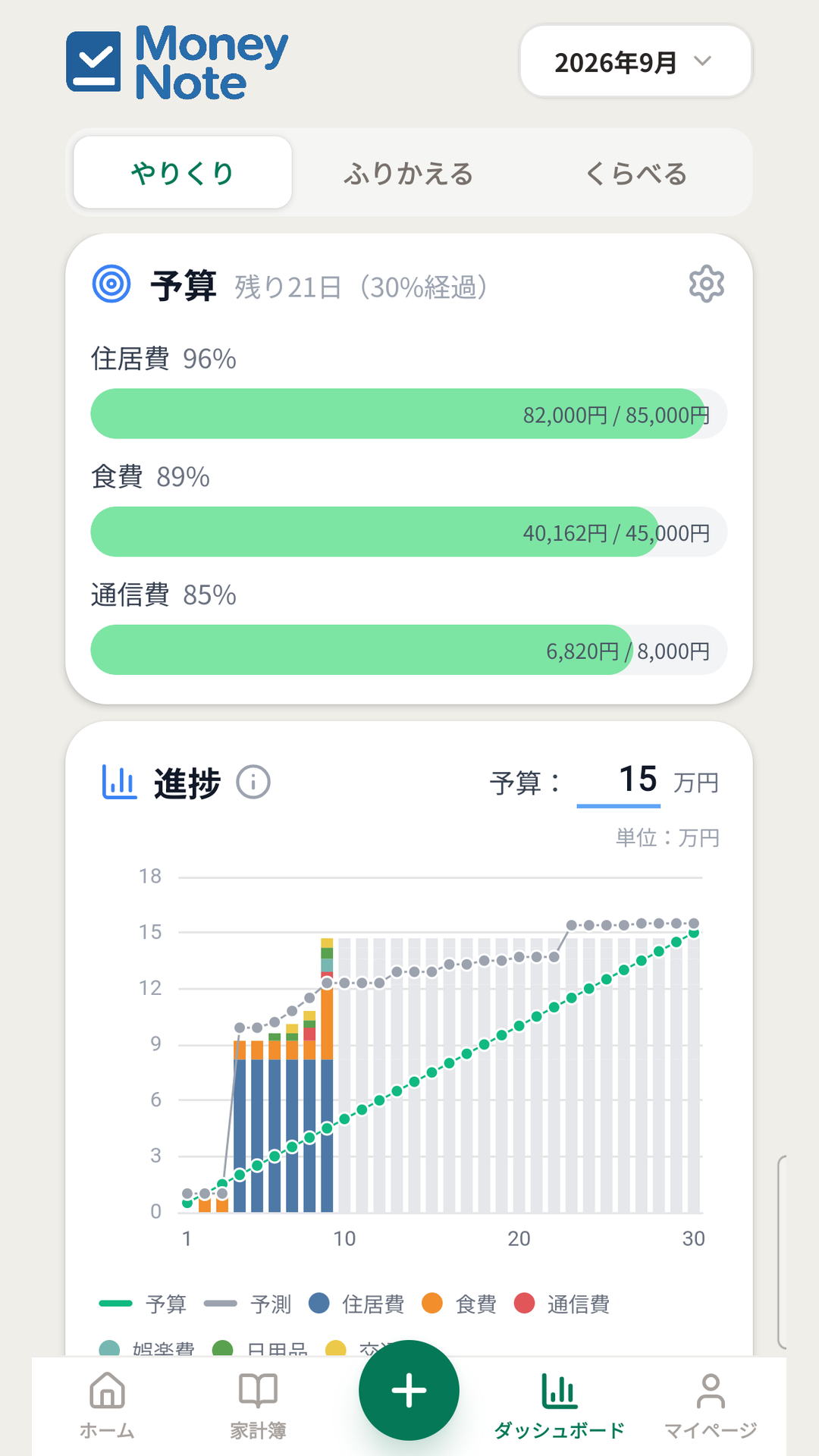
予算の進捗と支出の予測
Budget progress and forecast
Features
すばやい記帳
Quick entry
収入と支出を切り替えて、金額・日付・項目・メモを入力するだけ。入力内容はホームと家計簿にすぐ反映されます。
Switch between income and expense, then enter the amount, date, category and a note. Entries appear on Home and the Ledger right away.
ホームでひと目
Home at a glance
当月の収入・支出・収支を上部に表示。支出の内訳をドーナツグラフで示し、項目ごとの金額と割合を確認できます。
Income, expenses and balance for the month at the top, plus a donut chart of your spending with the amount and share of each category.
家計簿で一覧
Browse the ledger
日付ごとの記録を一覧表示。グループ・項目・金額・メモで絞り込めます。支出は赤、収入は緑で色分けされます。
See your records day by day, and filter them by group, category, amount or memo. Expenses are red and income is green.
やりくり
Budget
予算を最大3件まで設定し、進捗と日ごとの支出ペースを確認。今月の実績から月末までの支出を予測した線も重ねて表示します。
Set up to three budgets and track your progress and daily spending pace, with a forecast line projected from this month's actual spending.
ふりかえる
History
直近12か月の収支の推移を棒グラフで、項目別の内訳を折れ線で表示します。
A bar chart of your balance over the last 12 months, with a category breakdown shown as lines.
くらべる
Compare
前年の同じ月と比べて、支出がどう変わったかを表示。見たい項目だけを選んで比較できます。
See how your spending changed against the same month last year, and pick which categories to compare.
項目とグループ
Categories and groups
項目(カテゴリ)は自由に追加・編集・並べ替えができ、グループでまとめられます。項目を削除するときは、紐づく取引の移動先を選べます。
Add, rename and reorder your own categories, and organize them into groups. When you delete a category, you choose what happens to its transactions.
CSV インポート / エクスポート
CSV import / export
保存先とファイル名を選んで書き出し、そのまま読み込めます。文字コードは UTF-8 と Shift_JIS を選べ、Shift_JIS なら Excel でそのまま開けます。
Export to a location and filename you choose, then import the same file back. Pick UTF-8 or Shift_JIS encoding — Shift_JIS opens directly in Excel.
複数の端末で使える
Use it on more than one device
メールアドレスまたは Google アカウントでログインすると、データはクラウドに保存されます。機種変更後も同じアカウントで続けられます。
Sign in with an email address or a Google account and your data is stored in the cloud, so you can pick up where you left off on a new device.
日本語と英語
Japanese and English
表示言語と通貨(円 / ドル)を設定から切り替えられます。
Switch the display language and currency (JPY / USD) in Settings.
About
MoneyNote は、続けやすさを重視したシンプルな家計簿アプリです。毎日の収入と支出を数タップで記録し、グラフで振り返ることができます。レシートの撮影や自動分類といった機能は持たず、「入力がすぐ終わること」と「見たい数字がすぐ出ること」に絞って作っています。
MoneyNote is a simple budgeting app built to be easy to keep up with. Record your daily income and expenses in a few taps, then review them with charts. It deliberately leaves out receipt scanning and automatic categorization, and focuses on two things instead: finishing an entry quickly, and getting to the number you want to see quickly.
Before you start
- 本アプリの利用にはアカウント(メールアドレスとパスワード、または Google アカウント)の登録が必要です。
- 銀行口座やクレジットカードとの連携機能はありません。記録は手入力または CSV の読み込みで行います。
- 無料でご利用いただけます。運営費用を賄うため、アプリ内に広告を表示します。CSV の書き出しの前には、広告を1本ご視聴いただきます。
- CSV の読み込みは、1回あたり最大 5,000 行までです。
- アカウントはアプリ内(マイページ → 「アカウントを削除」)からいつでも削除できます。削除すると、記録したデータはすべて完全に消去されます。
- 対応端末は Android 7.0 以降です。iOS 版はありません。
- An account (an email address and password, or a Google account) is required to use this app.
- There is no bank or credit card linking. Records are entered by hand or imported from CSV.
- The app is free to use. To cover running costs it shows advertisements, and you watch one ad before a CSV export.
- A CSV import is limited to 5,000 rows at a time.
- You can delete your account at any time from My Page → "Delete Account". Deleting it permanently removes all of your recorded data.
- Requires Android 7.0 or later. There is no iOS version.
Support
ご質問・ご意見は下記までお気軽にどうぞ。
For questions or feedback, feel free to reach out.